Your customer list and visit history
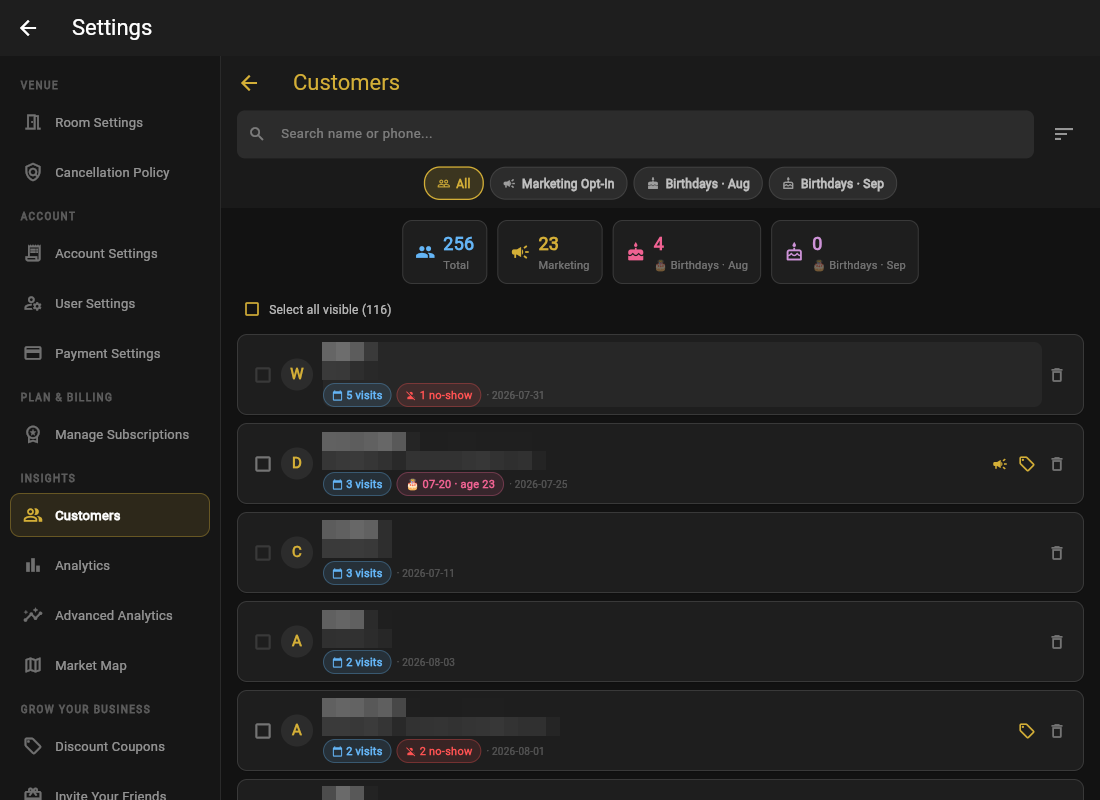
Every booking builds your customer list automatically: name, phone, visits, no-shows, birthday when given, and marketing opt-in. Open the Customers tab (Pro plan and up).
- Search by name or phone. It is the fastest way to answer "have they been here before?" while they are on the line.
- Sort by Most Recent, Most Visits, or A to Z.
- Filter by marketing opt-in, or by birthdays this month / next month.
Visit history
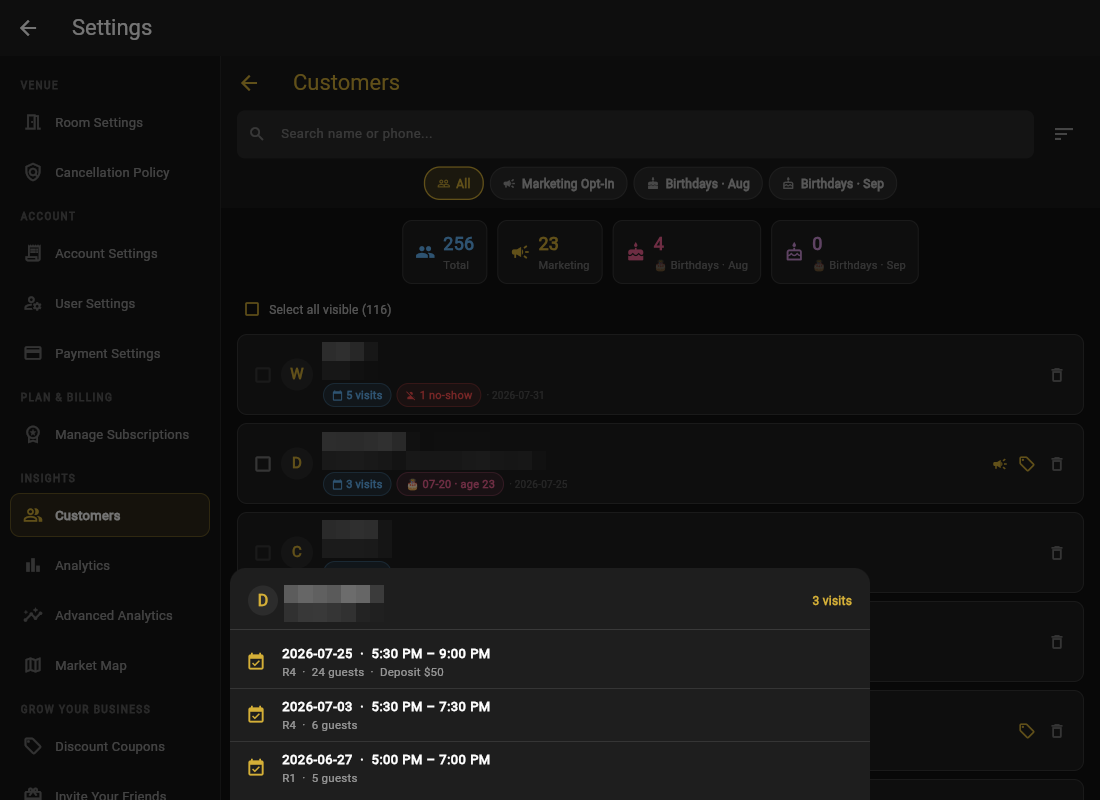
Tap a customer to see every visit: dates, rooms, party sizes, and any no-shows. Abandoned checkouts are excluded, so the count reflects real visits.
Housekeeping
Remove from customer list deletes someone on request; select multiple customers to send a coupon to all of them at once (see coupons).
Before a big group arrives, glance at the host's history. "Welcome back, Room 3 again?" is the cheapest loyalty program ever invented.