Changing and cancelling bookings
Changing a booking
Tap the booking on the calendar and choose Adjust Time to move or resize it. The guest's confirmation stays valid: same code, new time.
Cancelling as the venue
Tap the booking → Cancel Booking. If a deposit was paid you choose:
- Refund & Cancel: the deposit goes back to the card automatically. Use this when you are the one cancelling, or the guest cancelled within policy.
- Cancel (No Refund): the deposit stays with you. Use this for no-shows and out-of-policy cancellations.
Either way the guest is notified by text automatically, so you never have to make the awkward call.
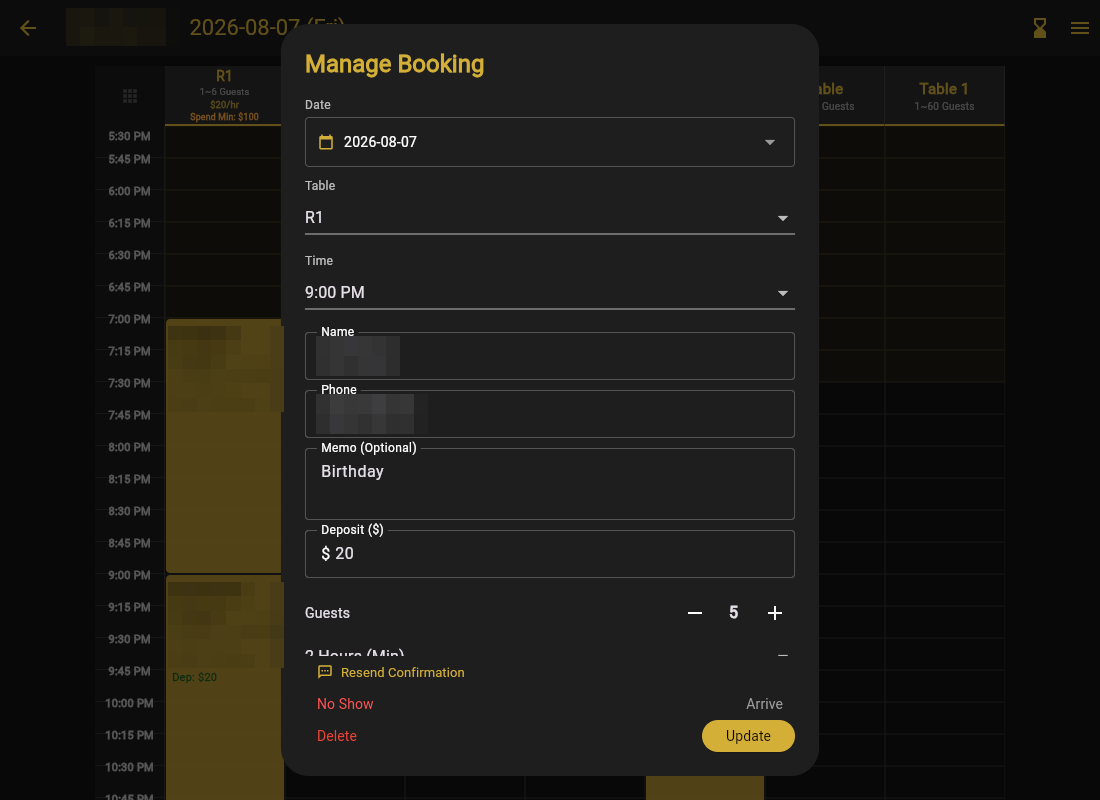
Guests cancelling themselves
The confirmation email and text carry a Manage Booking link. If Allow Customer Self-Cancellation is on (Settings → Cancellation Policy), guests can cancel from that link:
- Inside your refund window → cancelled with automatic refund.
- Past the window → they see that the deposit is non-refundable before confirming.
Deadlines are computed in your venue's time zone, and you get the cancellation in the bell either way. Lost confirmation? The booking page has Resend Confirmation, or find the booking on your calendar.
Self-cancellation sounds scary but works in your favor: a guest who cancels at 3 PM gives you time to fill the room from the waitlist. A guest who cannot cancel just does not show up.