What your employees see
Employees sign in with the same login screen as you, using email and password, and GoGoSing finds where they work. What they get is a phone-first view of exactly their own world, nothing else.
Home: clock in and today
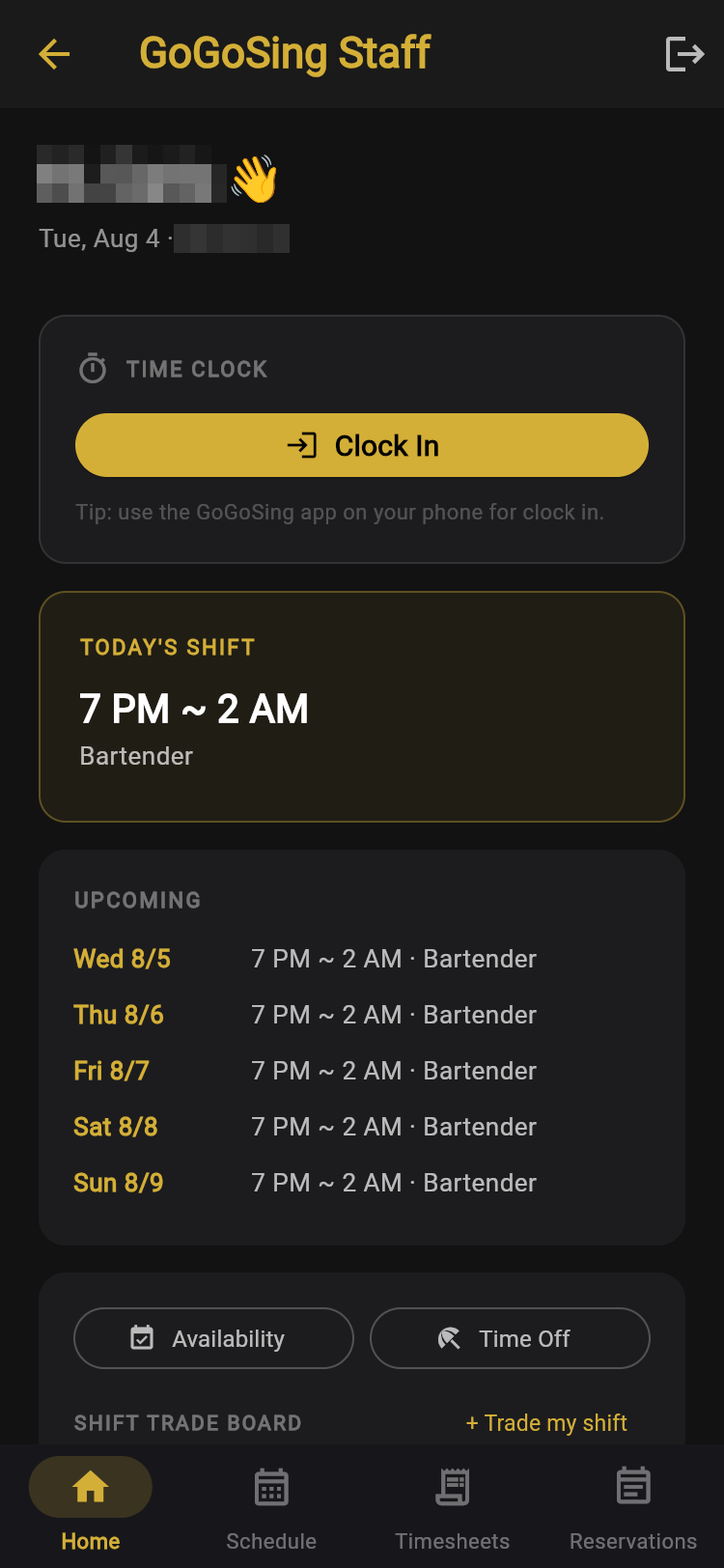
The big Clock In button sits at the top. It works within your GPS radius, so a phone at home cannot punch in.
Below it: today's shift with the position, then the week ahead. No hunting through menus at 6:58 PM.
Requests, from their side
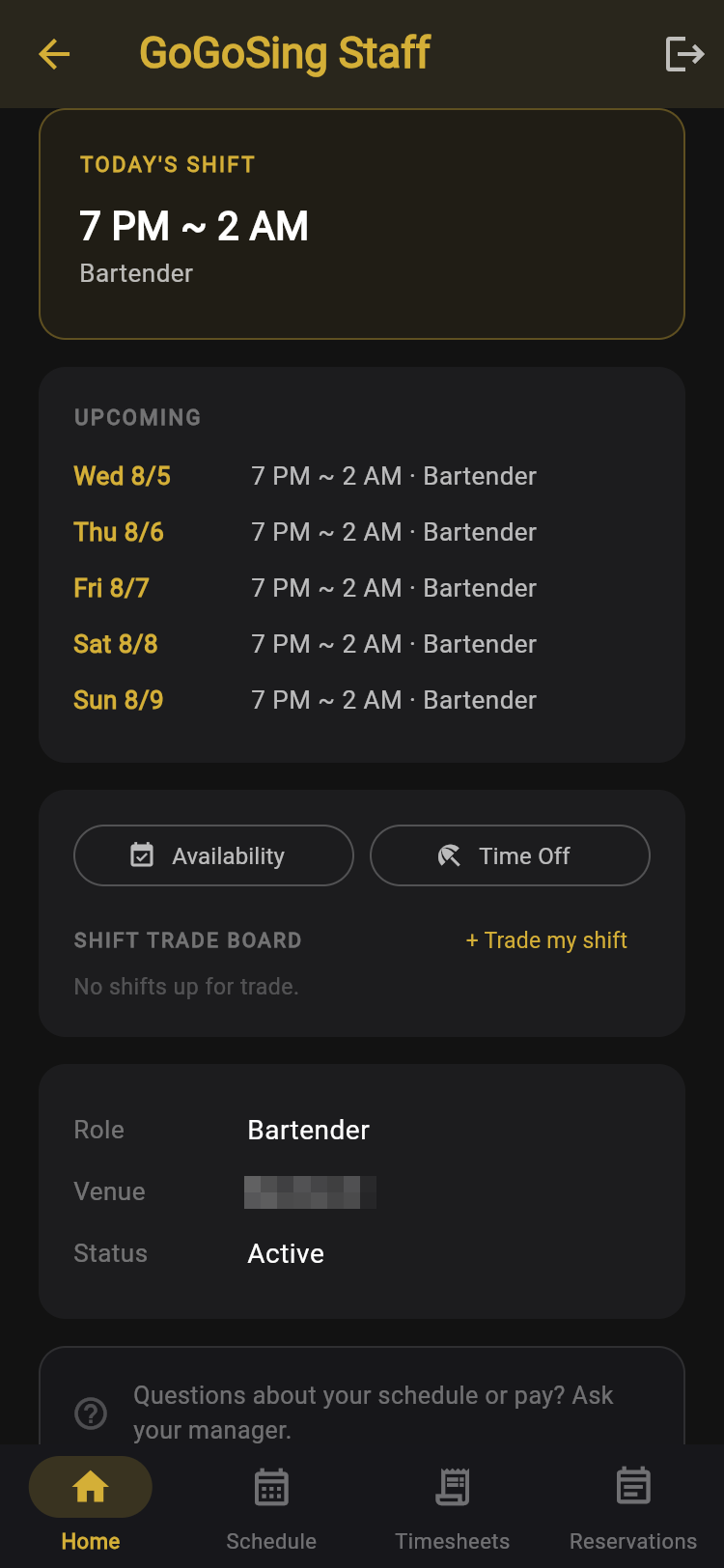
Scrolling down the home screen gives them three ways to raise their hand:
- Availability: mark days off or limited hours on a calendar.
- Time Off: send a date-range request.
- Trade my shift: post a shift to the board for a coworker to pick up.
All three land on your Requests screen for approval.
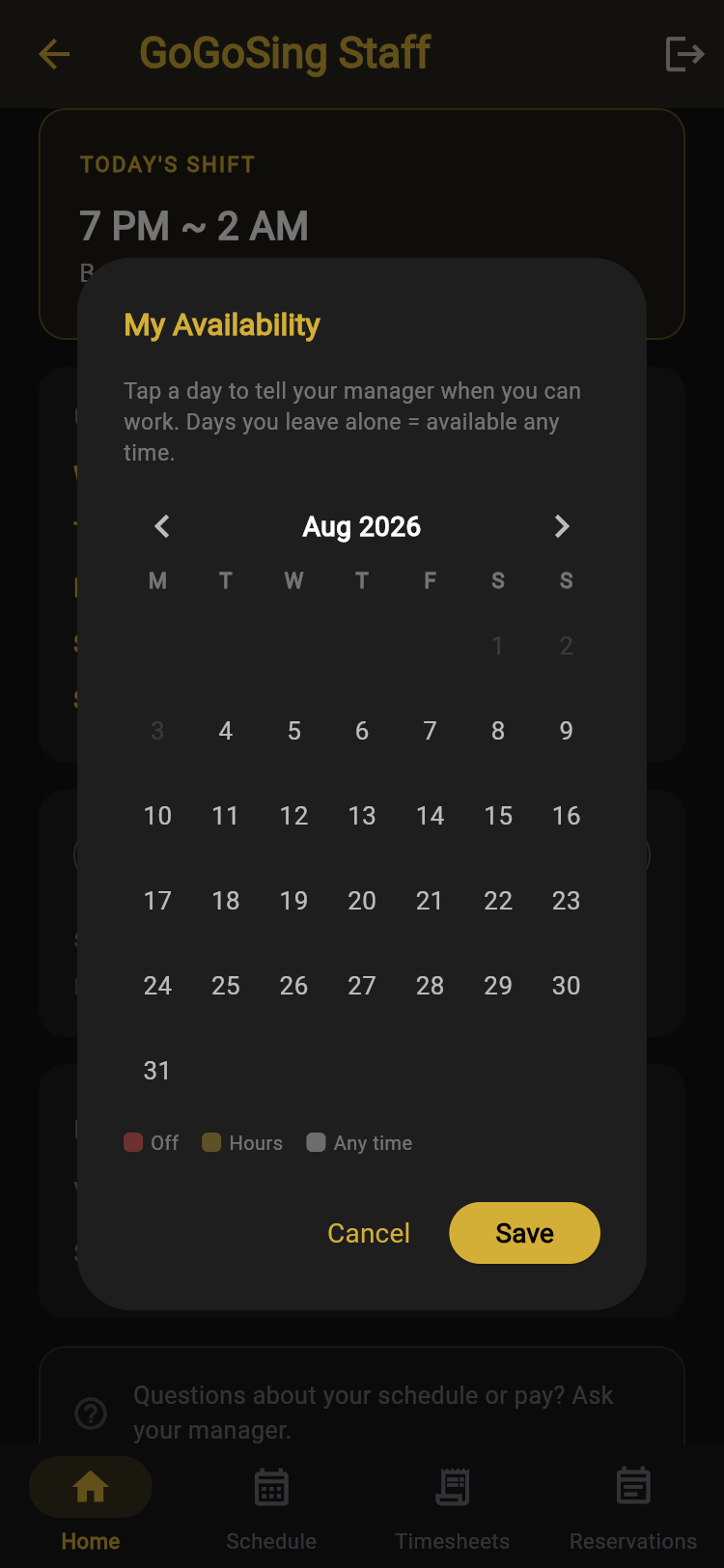
Availability is a simple month grid: tap a day to mark it Off or set specific Hours. Days left alone mean available any time, so nobody has to fill in a whole month to say "I just can't do Tuesdays."
Schedule
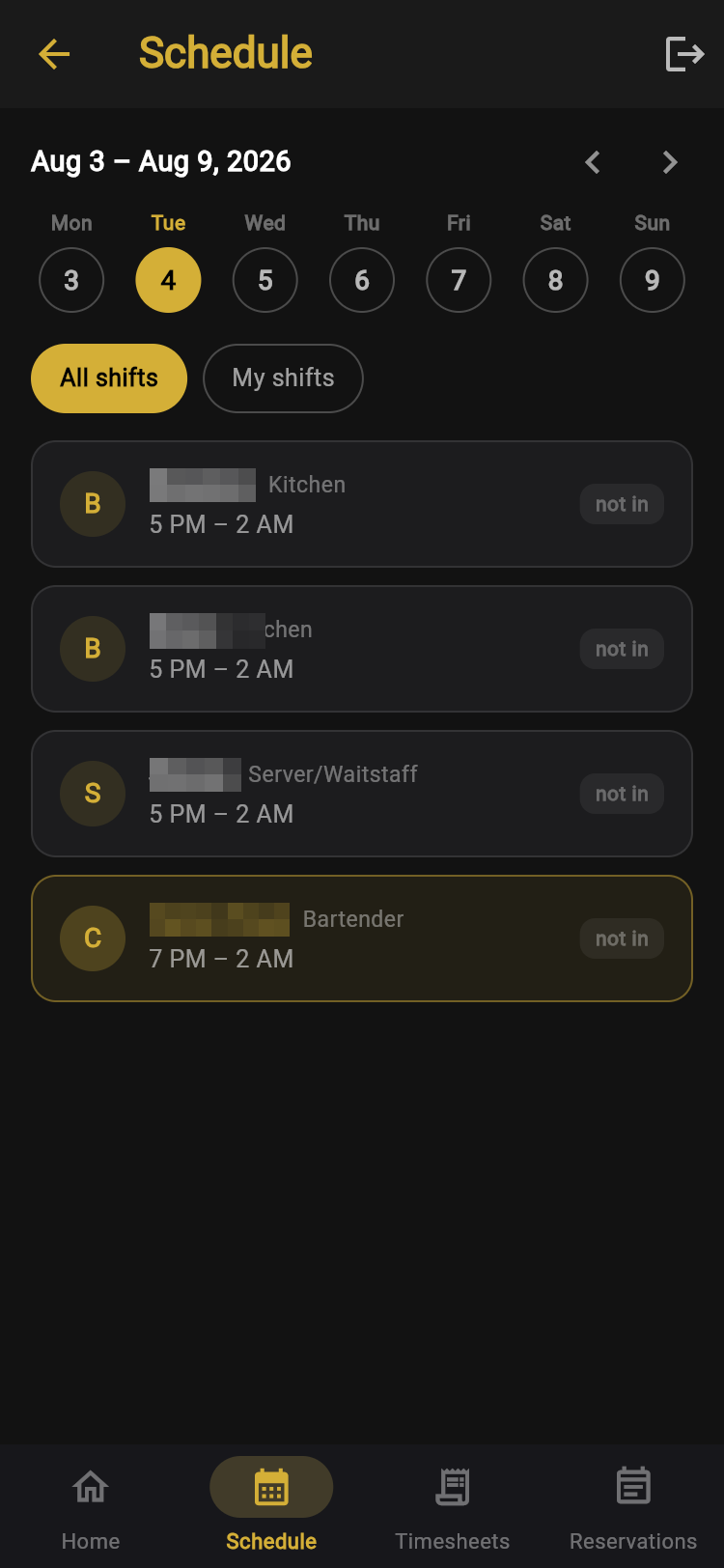
Pick a day, then switch between All shifts and My shifts. Their own row is highlighted, and each shift shows a live clock-in status.
Seeing the whole team matters more than it sounds: who opens, who closes, and who to call when they need a swap.
Timesheets
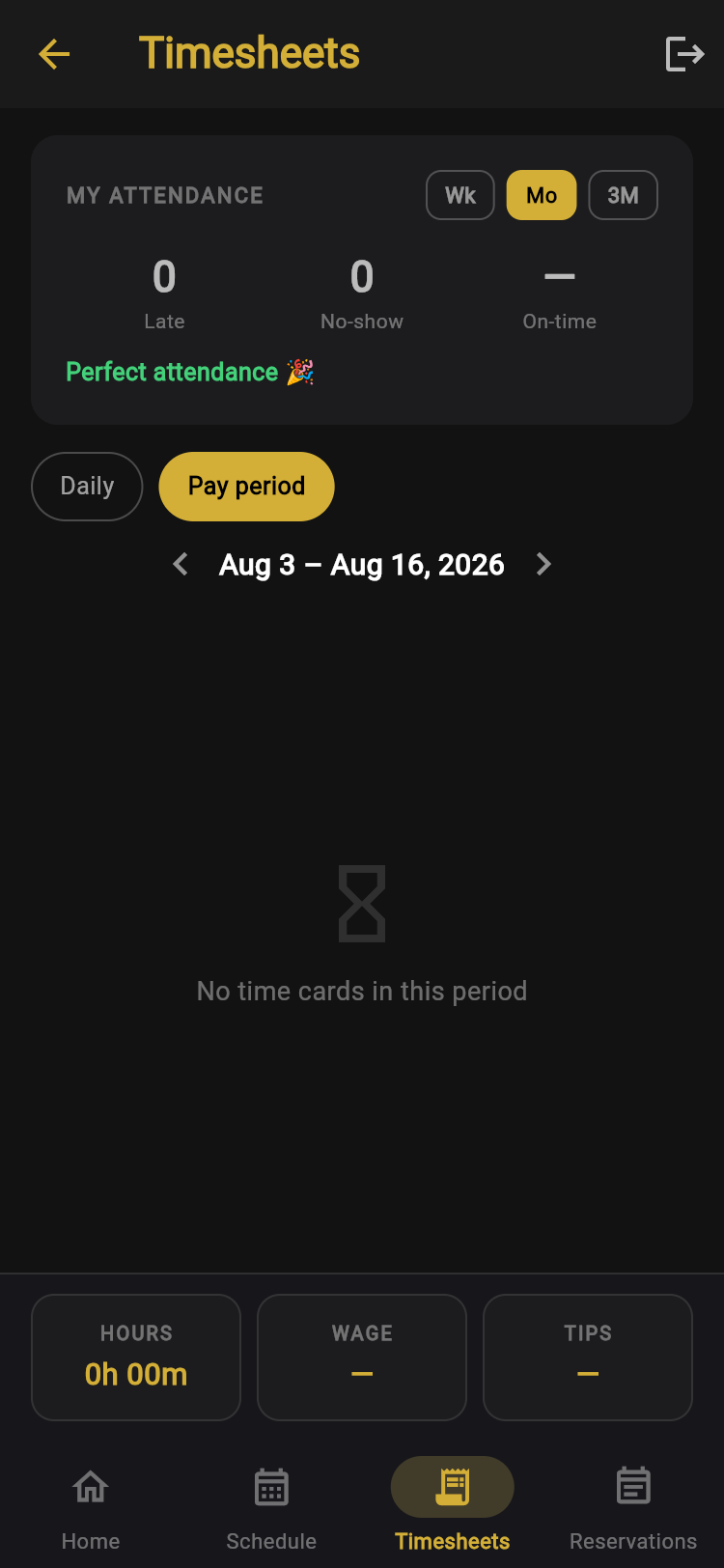
My Attendance shows their lates, no-shows, and on-time rate: the same numbers you see, for themselves only.
Below, hours by day or pay period, with wage and tips totalled at the bottom. The "how many hours did I work?" question answers itself, which is fewer interruptions for you on payday.
Reservations, read-only
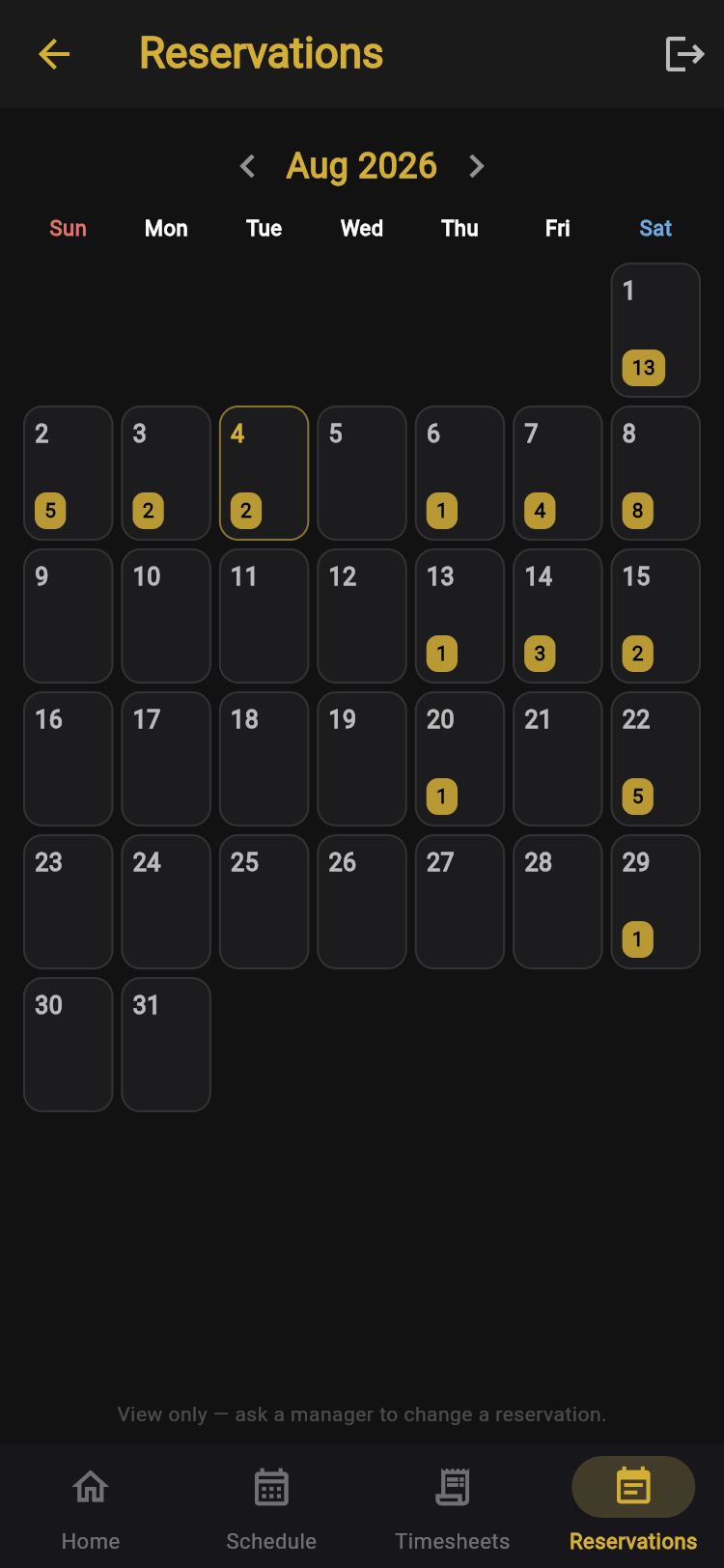
Employees can see how heavy tonight is, but the screen says so plainly: the calendar is view only, and changing a reservation still takes a manager.
Pay rates, other people's timesheets, your settings, and customer contact details are never visible to an employee account.