Set up your rooms and hours
Rooms are what guests actually book, so this is the foundation. Open Settings → Room Settings.
Add your rooms
- Click Add Room.
- Name it the way guests know it: Room 1, VIP, Party Room. This name shows on the public booking page.
- Set Min capacity and Max capacity. When a guest enters their party size, only rooms that fit are offered, so a party of 2 will not be shown your 20-person party room unless you allow it.
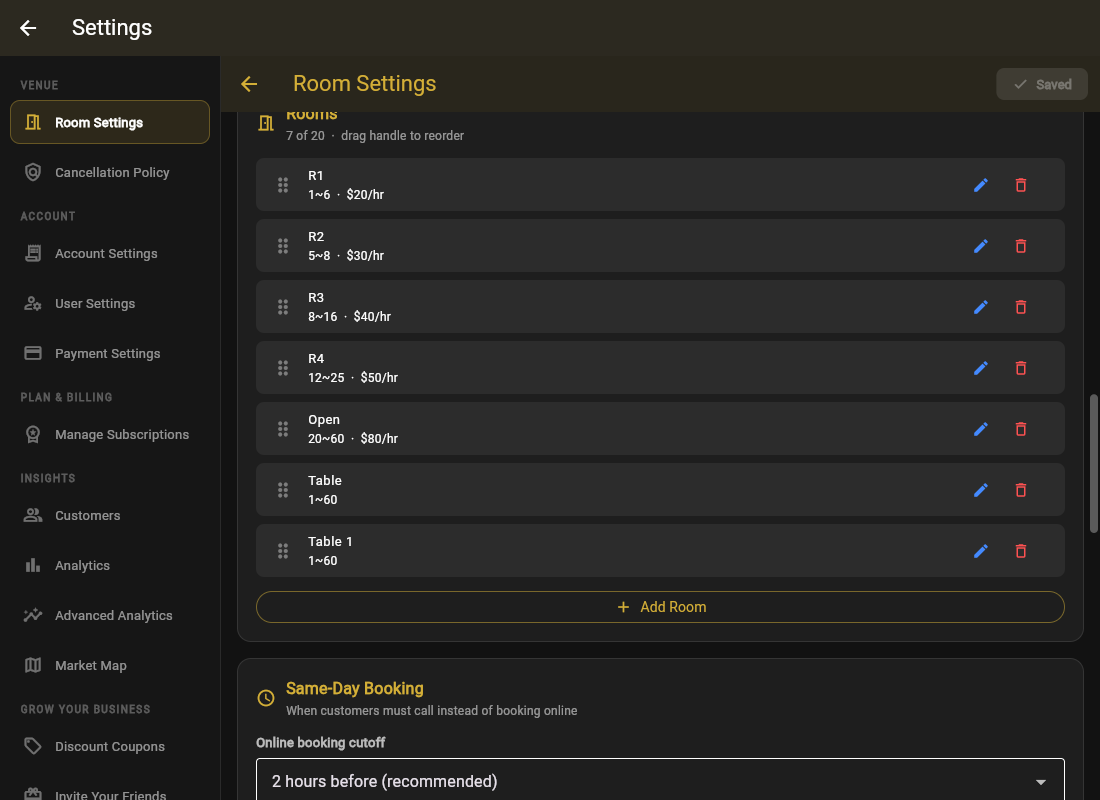
Renaming or deleting a room does not touch existing bookings, but guests can only book rooms that exist right now. If your plan's room limit is reached, Add Room will say Upgrade Required.
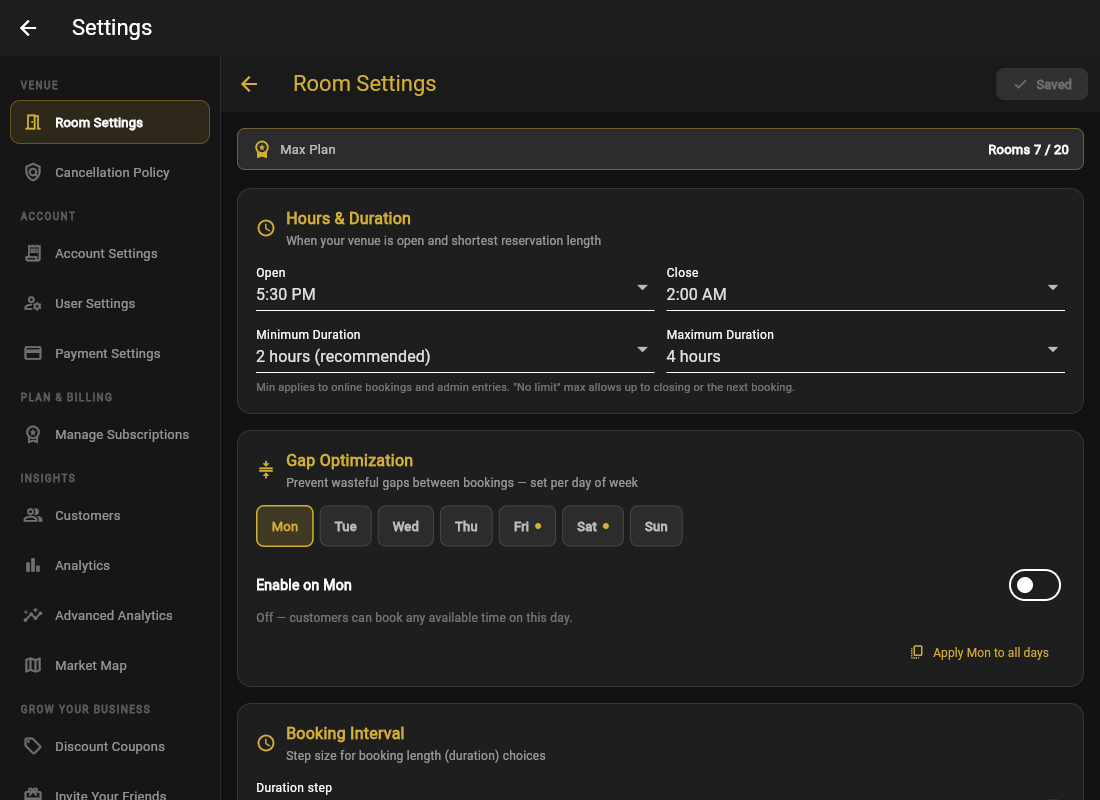
Hours & Duration
Under Hours & Duration, set your opening and closing time for each day of the week. Closing after midnight is fine. A bar open until 2 AM just sets close to 2:00 AM and GoGoSing handles the overnight math.
Time Zone
Set your venue's Time Zone once. It is detected from your browser at signup, but double-check it. Cancellation deadlines and same-day cutoffs are all calculated in this time zone, not the guest's.
Do not create a room per table. GoGoSing is built around bookable spaces: karaoke rooms, private dining rooms, lanes, courts. If you have 6 identical rooms guests do not choose between, you can still list them individually so the calendar shows exactly what is occupied.