Create your workspace and sign in
Everything in GoGoSing lives inside your workspace, your venue's own space with its rooms, bookings, and settings. Creating one takes a few minutes.
- Go to gogosing.world and click Get Started.
- Enter your email and a password (at least 8 characters, with letters and numbers).
- Enter your venue name and pick a Workspace ID, a short handle like
my-bar. It becomes your public booking link (gogosing.world/my-bar), so keep it short and easy to read out loud over the phone. - Choose your venue type and a plan. Every plan starts with a 30-day free trial. You add a card now, but nothing is charged until the trial ends, and you can cancel anytime before that.
- Accept the terms and finish checkout. You land in your admin dashboard.
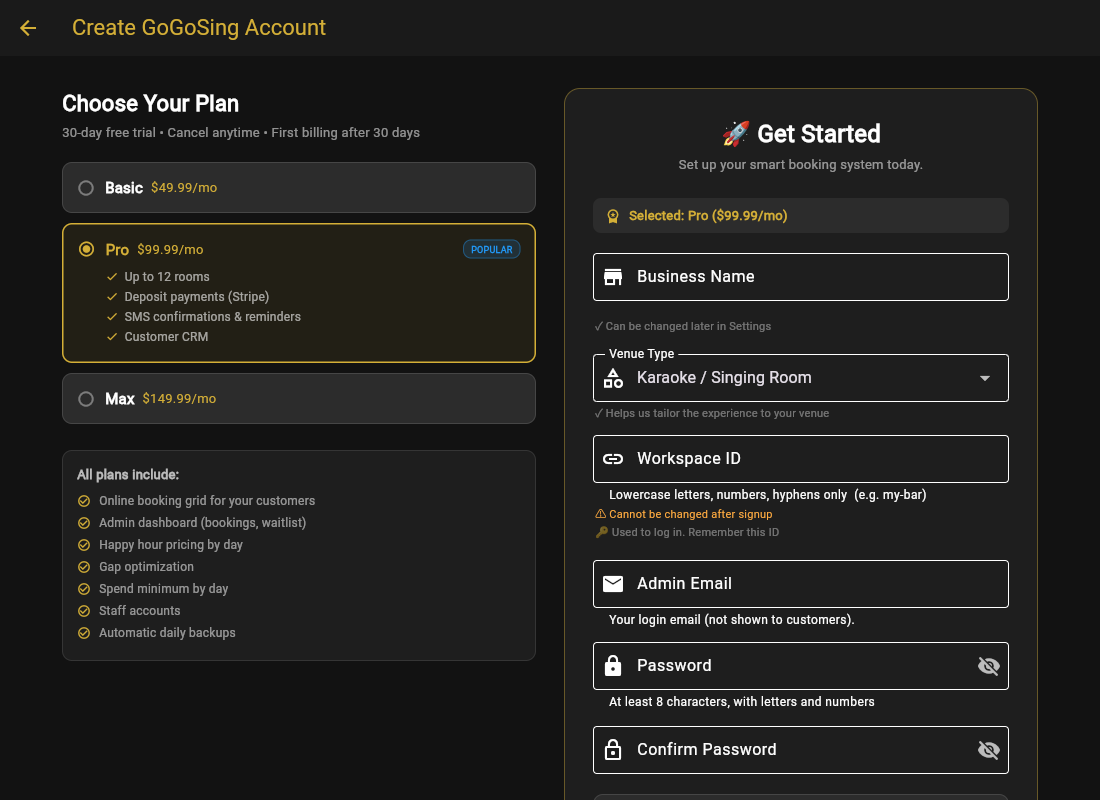
Picking a workspace ID: avoid lookalike spellings. We have seen staff misread IDs like
barkord as barford. All lowercase, no doubled letters, and you will never have to spell it twice.Signing in later
Go to Partner Login and enter just your email and password. GoGoSing finds your venue automatically. If you manage more than one venue, you pick which one after signing in. On the mobile app you can also enable Face ID / fingerprint login the first time you sign in.
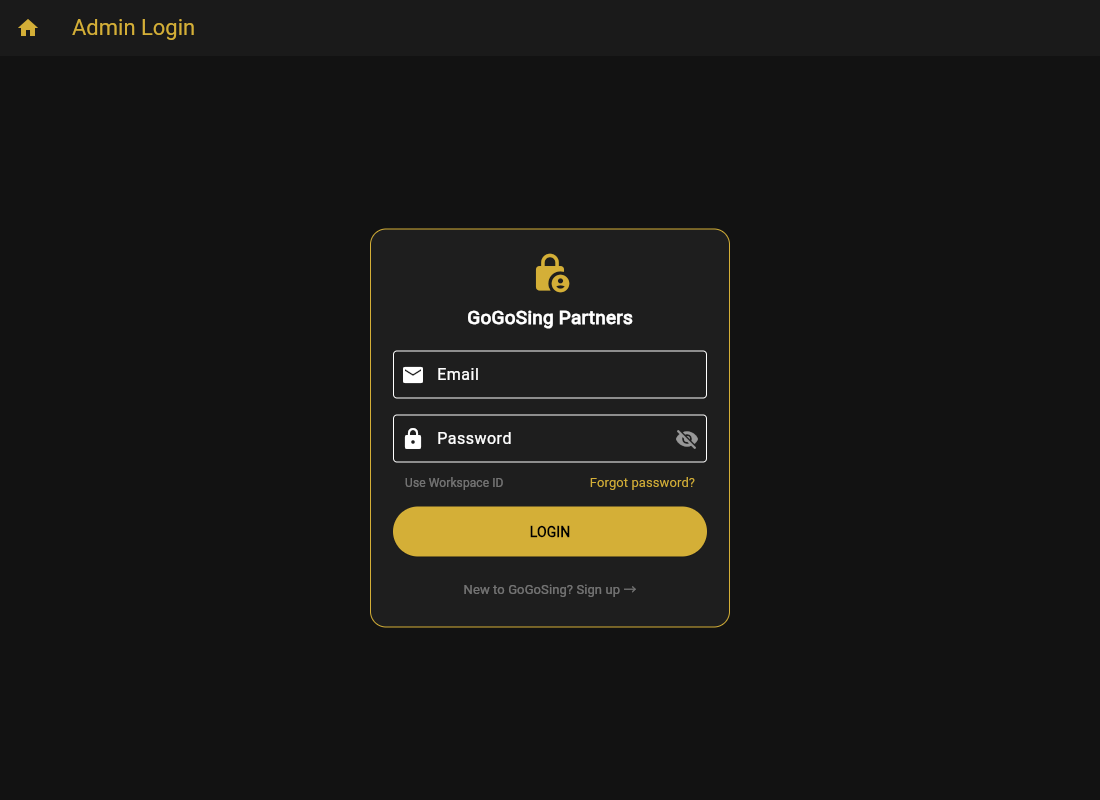
Forgot your password? Click Forgot password? on the login screen and we email you a reset link (check spam if it does not arrive within a minute or two).