Reading the calendar
The calendar is home base. Rooms run across the top, your opening hours run down the side, and every block is a booking.
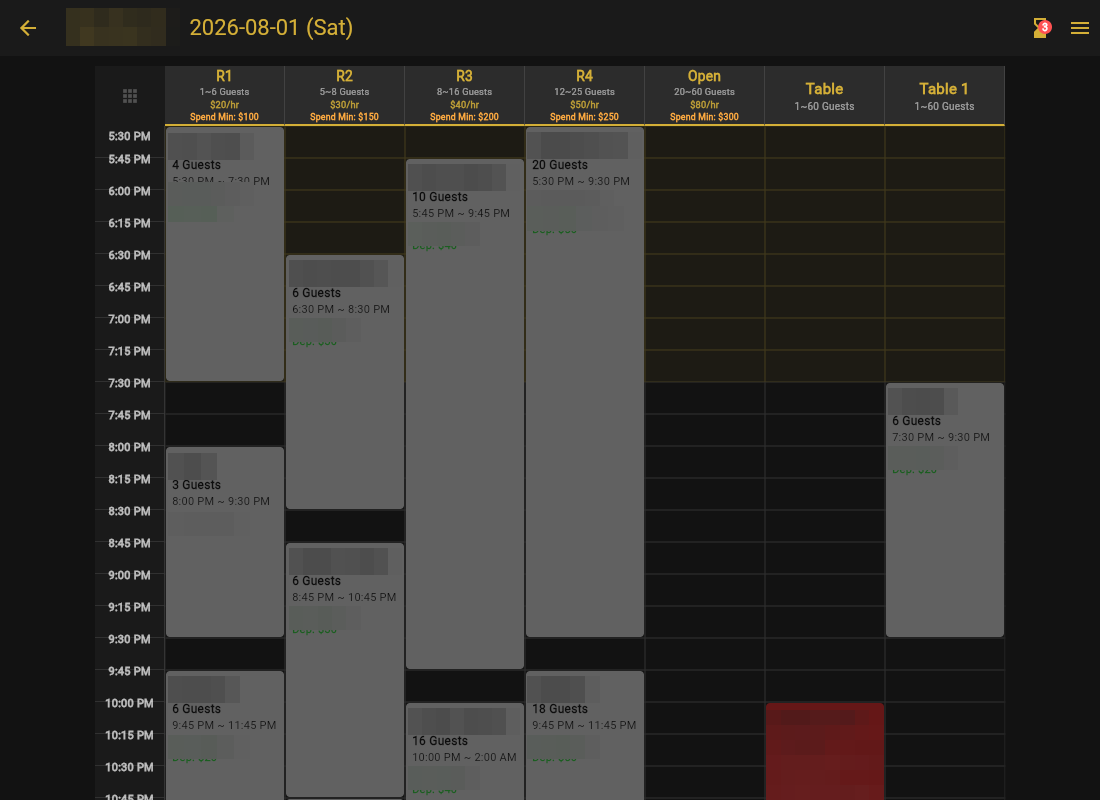
- Tap any booking to see its details (guest, phone, party size, deposit status) and to adjust or cancel it.
- Tap an empty slot to create a direct booking for a phone or walk-in guest.
- Use the date arrows to move between days; today is always one tap away.
The New bell
The bell in the top corner collects everything that happened since you last looked: new bookings (green), cancellations (red), and waitlist entries (blue). Mark read clears them one at a time, Clear all clears the lot.
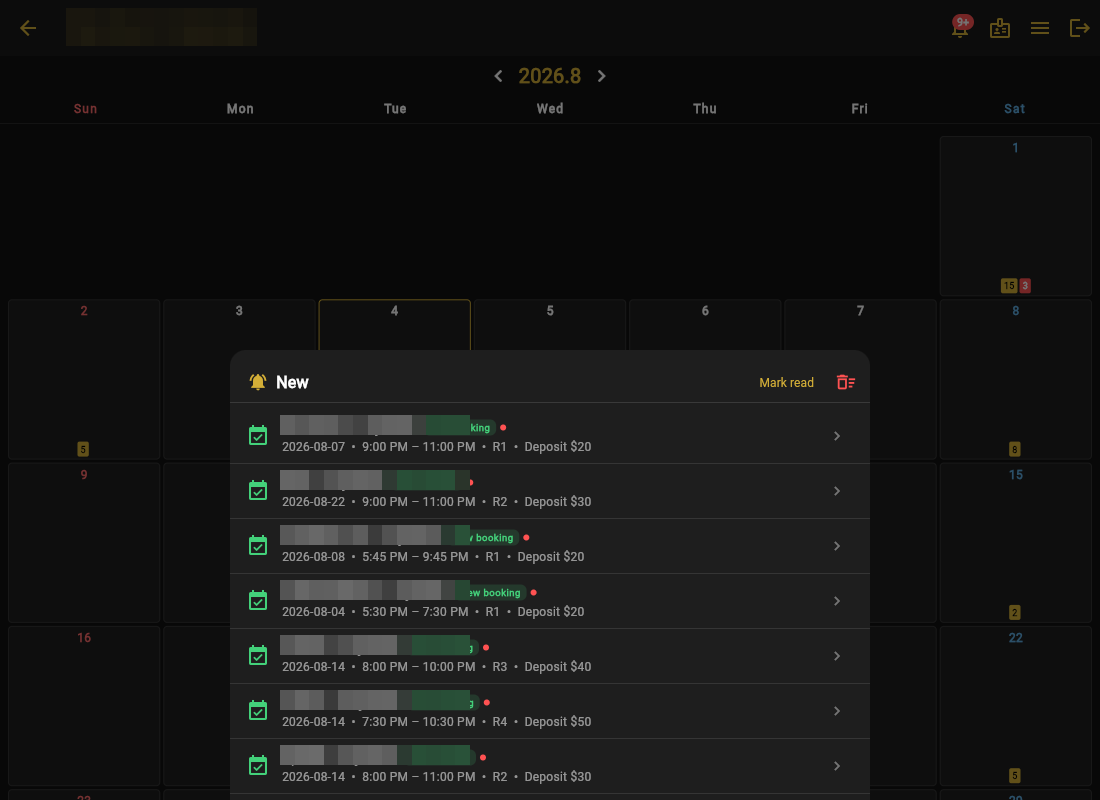
Opening shift habit: check the bell first. Overnight online bookings and cancellations are all in one place, so you know tonight's real picture in ten seconds.