Durations, intervals, and gap optimization
These settings in Room Settings quietly decide how much revenue a full night actually produces.
Minimum & Maximum Duration
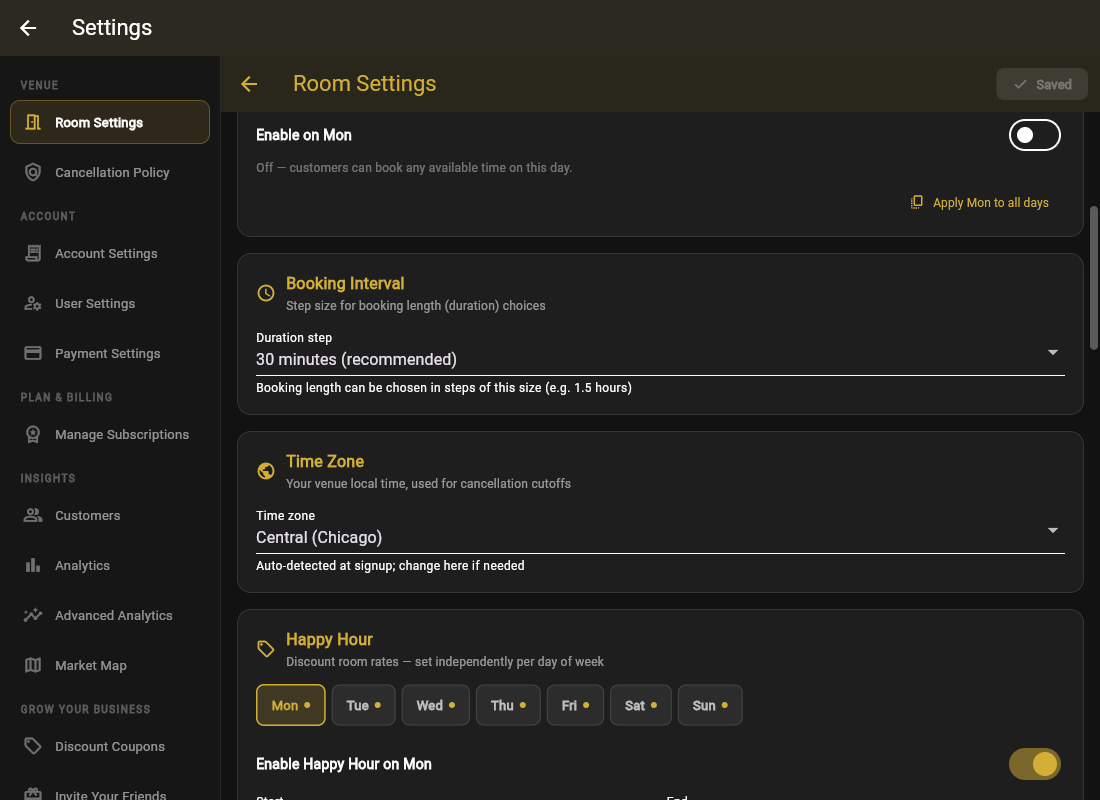
Minimum stops the 30-minute booking that blocks a 3-hour slot. Maximum stops one group from squatting your prime room all night (set No limit if that is fine). Guests pick durations in your chosen Duration step (30 min or 1 hour steps).
Booking Interval
The start-time grid: 15, 30, or 60 minutes. Half-hour intervals fill better than whole hours, because a guest who wants 7:30 will often not take 8:00.
Gap Optimization
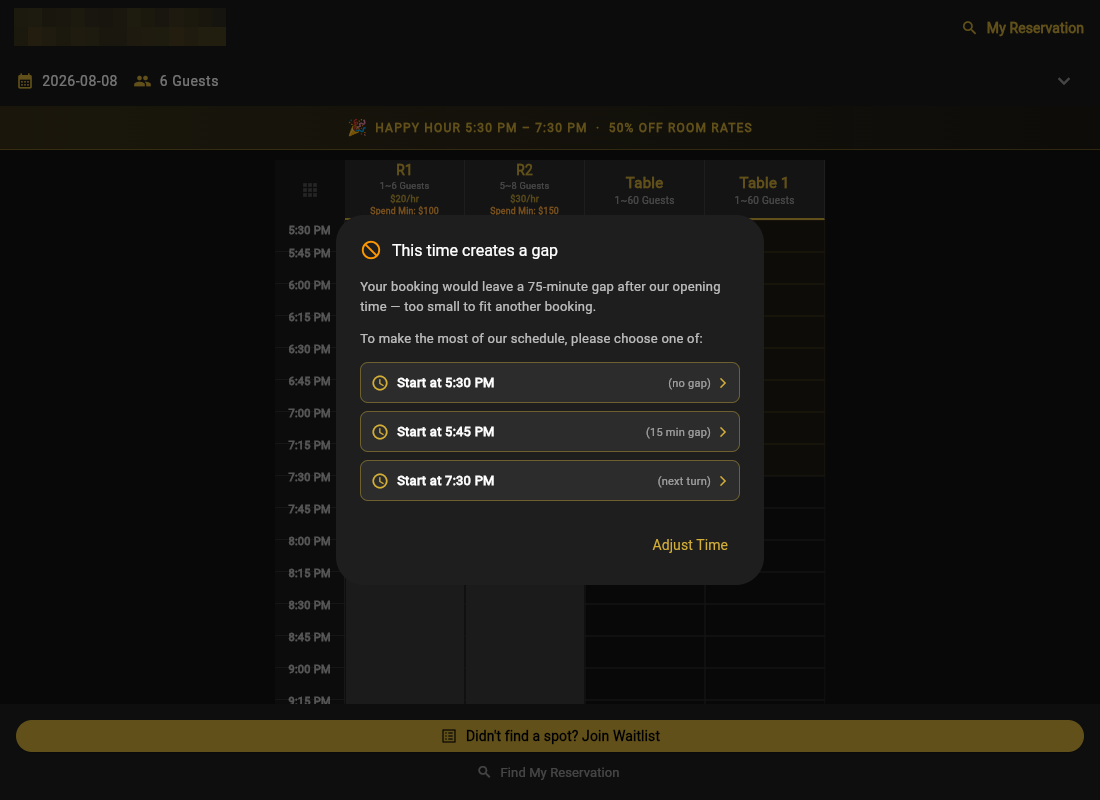
The problem: bookings at 6:00–7:00 and 8:30–10:00 leave a 90-minute orphan gap nobody books. The optimizer nudges guests toward times that touch existing bookings, and when a chosen time would strand a short gap, the guest sees "This time creates a gap" with a Pick a Later Time suggestion.
Tolerance sets how big an orphan gap you will accept:
- No gaps at all: strictest packing, fewest choices for guests.
- Up to 15 minutes (recommended): near-tight packing, guests barely notice.
- Up to 30 minutes: relaxed, and fine for venues with turnover cleaning anyway.
You can tune this per day of week: strict on packed Fridays, relaxed on slow Tuesdays when any booking is a good booking.