Add reservation managers
Your host stand needs the calendar; it does not need your Stripe settings. Manager accounts give exactly that split.
Inviting a manager
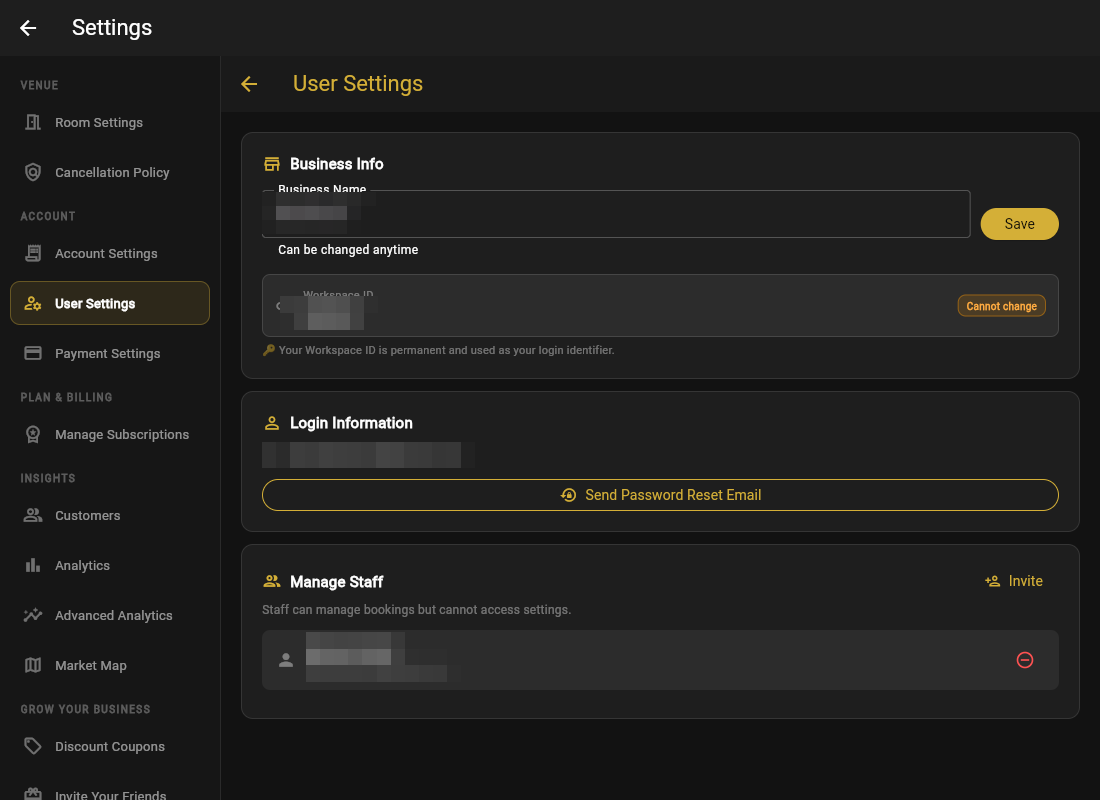
- Open Settings → User Settings → Manage Staff.
- Click Invite Staff and enter their email.
- Choose Send via Email, or Generate Invite Link and hand it over yourself.
- They set a password and sign in with just email + password, same as you.
What managers can and cannot do
| Can | Cannot |
|---|---|
| See and work the calendar | Open Settings (rooms, payments, policies) |
| Create direct bookings | Touch your Stripe or subscription |
| Adjust and cancel bookings | Access GoGoSing Staff admin (schedules, pay, timeclock) |
| Work the waitlist | Invite or remove other users |
Remove Staff revokes access instantly. Do it the day someone leaves, same as taking back keys.